Job-Board Fatigue Is Real — Here's How to Beat It
If you close the laptop feeling more drained than when you opened it — and with nothing to show for the hour — you're not lazy or unmotivated. The job boards are wearing you down by design.

You sit down to "look for jobs." Twenty tabs later, you've read the same software-engineer listing on four different boards, half-saved two roles you'll never finish, and clicked away from one because the form wanted you to re-type your entire resume. An hour is gone. You've applied to nothing. And somehow you feel like you ran a marathon. That hollow, wrung-out feeling has a name now — job-board fatigue — and it's not a character flaw. It's what happens when a tool designed to keep you scrolling collides with a brain that just wants to find a good job and move on.
Here's the good news: fatigue this specific has a specific cause, and once you can see it, you can route around it. Let's break down why job boards exhaust you — and the calmer system that puts the searching on autopilot so you spend your energy where it counts.
Why job boards are so tiring
It isn't the applying that wipes you out. Filling a form, when you've found the right role, is almost satisfying. The drain comes from everything before that — the open-ended hunt — and there are three quiet reasons it hits so hard.
1. The feed never ends
Job boards are built like social feeds: infinite scroll, "new" badges, "you might also like." There's no natural stopping point, so your brain never gets the little "done" signal it craves. You're not browsing toward an answer — you're being kept in the browse. That's stimulating and exhausting at the same time, which is exactly why you can spend an hour and feel like you accomplished nothing. Because, measurably, you didn't.
2. You make a hundred tiny decisions and finish none
Every listing is a micro-decision: Is this a fit? Is the salary real? Is "5+ years" a hard rule? Did I already apply here? Psychologists call the result decision fatigue — your capacity to choose well erodes with each call you make. By the time you find a role you actually like, you're too tired to write a good application for it. So you bookmark it "for later," and later never comes.
3. Most of your time is spent searching, not applying
This is the big one, and it's worth seeing in numbers. When you track where a job-hunting hour really goes, the form-filling — the part that actually moves you forward — is the smallest slice. The bulk vanishes into scrolling and re-reading roles you've already seen.
Stare at that long enough and the fix becomes obvious. You don't need more willpower to scroll harder. You need to delete the scrolling.
The calmer system: let matched roles come to you
The way out of fatigue isn't to push through the feed faster. It's to replace the infinite feed with a short, finite list of roles that actually fit you — and to apply to those. That single swap removes the never-ending scroll, the decision fatigue, and the wasted search time all at once. Here's how CVApplyr does it.
1. Stop hunting — roles are matched to you
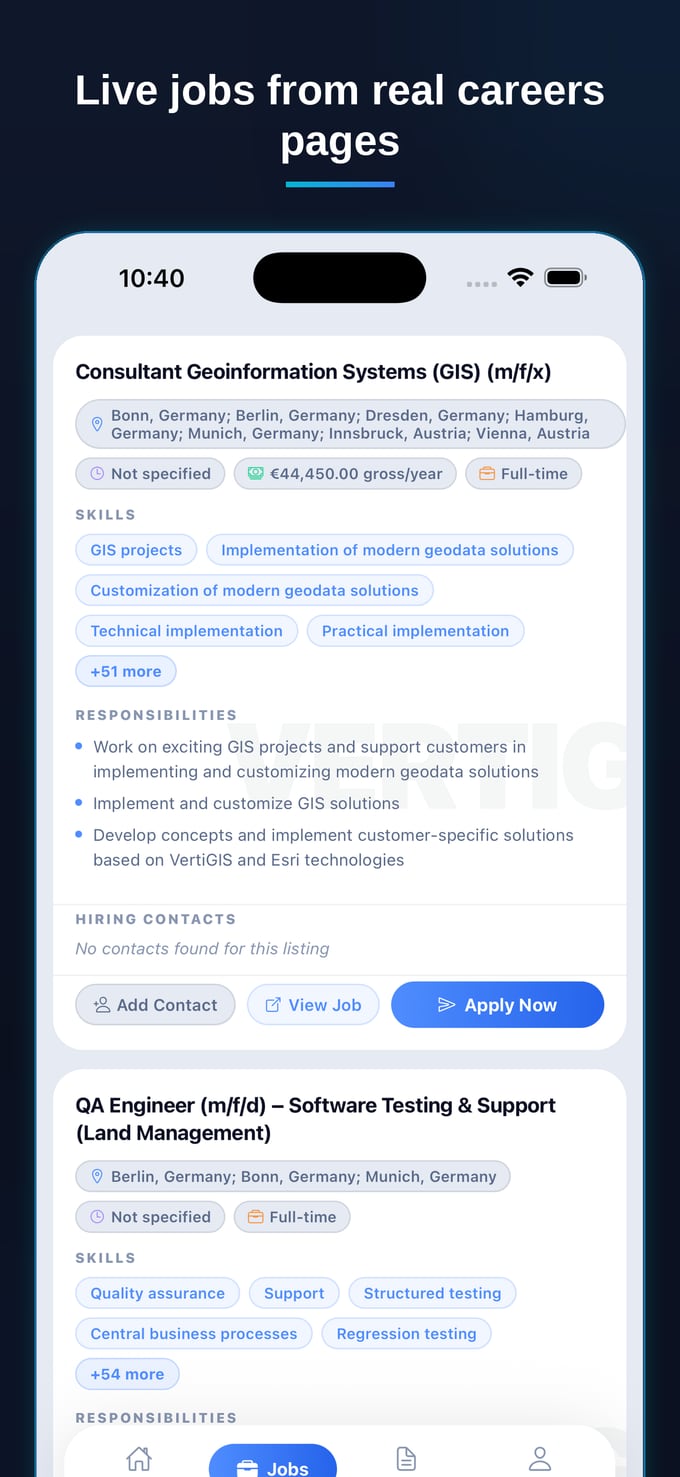
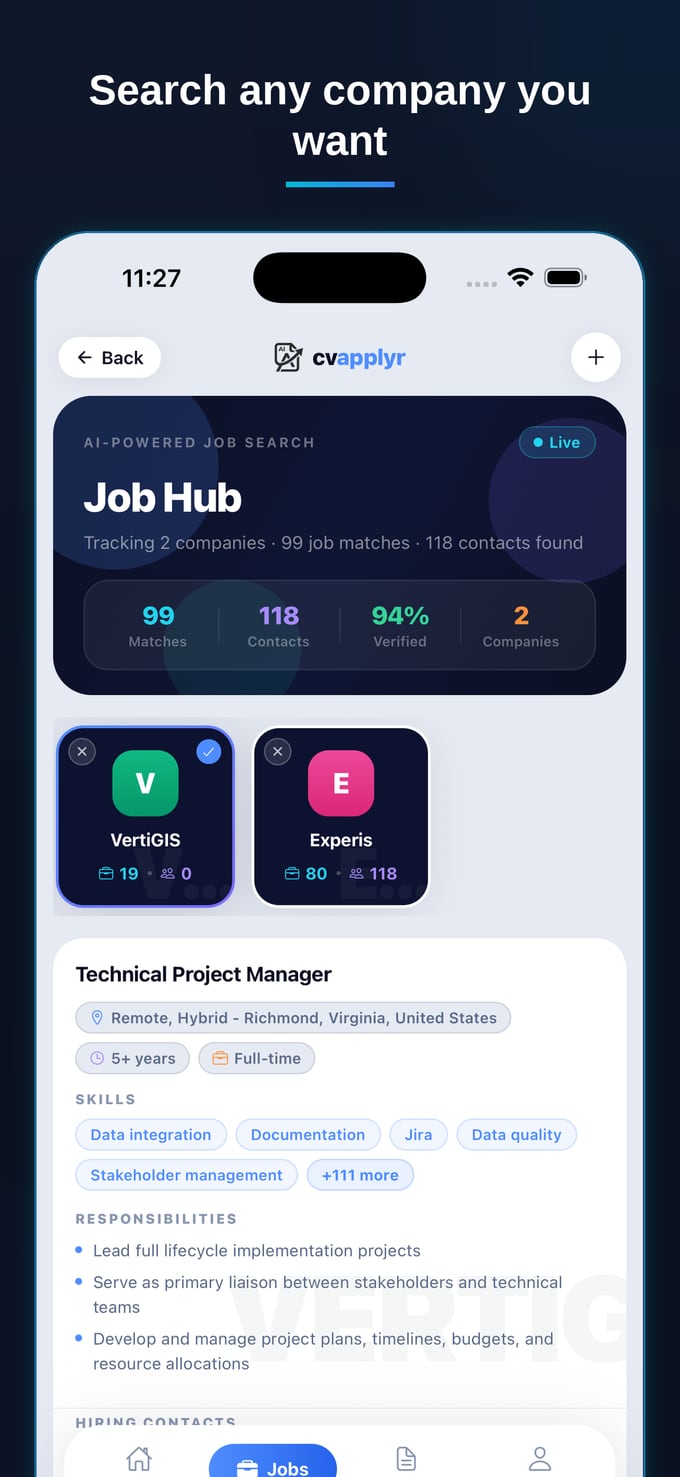
Instead of opening 20 tabs, you tell CVApplyr the kind of work you want, and it pulls live openings from real company careers pages and matches them to your resume. No more reading the same listing on four boards; no more wondering whether "5+ years" rules you out. The roles come to you, already filtered to your background.
2. Every role is scored by fit, so you stop second-guessing
This is the part that kills decision fatigue. Each match shows how well it fits your resume, so you're not making a hundred cold judgment calls — you're glancing at a ranked list and acting on the strong ones first. The exhausting "is this even worth it?" question is already answered for you.
3. The list is finite — so there's a natural "done"
Because you're working a shortlist instead of an infinite feed, the session actually ends. You review your matches, apply to the ones that look right, and close the laptop knowing you did the work — not because you ran out of willpower, but because the list ran out. That clean stopping point is the antidote to doom-scrolling.
4. Applying takes minutes, not an evening
Once you've picked a role, CVApplyr writes a cover letter tuned to that job and your resume, and surfaces a recruiter or hiring-manager contact where one's available — so you apply directly instead of into a void. The step that used to drain the last of your energy is now the quick, satisfying finish to the session.
The feed is infinite on purpose. The moment you trade it for a short list of roles that fit you, the fatigue has nowhere to come from.
What a fatigue-free session looks like
Picture the same evening, rebuilt around the new system. You open CVApplyr instead of three job boards. There's a short list of roles matched to your resume, each marked with how well it fits. You skim it in two minutes, pick the four that look strong, accept the cover letters that read right, fire them off — a couple straight to a named contact — and close the laptop. Fifteen minutes, four real applications, nothing left half-done. No 20 tabs, no re-reading, no hollow feeling. Just the quiet satisfaction of having actually moved forward.
That's the whole trick. You didn't get more disciplined. You stopped doing the part that was wearing you out — and let the searching run itself.
Trade the endless scroll for a short list that fits
Get resume-matched roles delivered to you, scored by fit, with a tailored cover letter ready to send — free to start.
Download CVApplyrFrequently asked questions
Why does job searching feel so exhausting?
Because most of the effort goes into searching, not applying — scrolling boards, re-reading the same listings, and deciding whether a role even fits. That's high-effort, low-reward work with no visible progress, which is the exact recipe for burnout. Cutting the search step is how you get your energy back.
How do I stop doom-scrolling job boards?
Replace the open-ended scroll with a closed list. Instead of browsing everything, have matched roles delivered to you and set a hard time limit — review the shortlist, apply to the best fits, and close the tab. CVApplyr surfaces resume-matched openings scored by fit, so there's a finite list to act on instead of an infinite feed to scroll.
How many hours a week should job searching take?
Quality beats hours. Most people do better with a focused 30–60 minutes a day on the right roles than with marathon weekend sessions that end in burnout. If you're spending 10+ hours a week and most of it is searching rather than applying, the problem is the workflow, not your effort.
How does CVApplyr reduce job-board fatigue?
It removes the part that drains you: the hunting. CVApplyr pulls openings from real company careers pages, matches them to your resume, and scores them by fit — so instead of 20 tabs you get a short, ranked list. Then it writes a tailored cover letter and surfaces a real contact, so each role takes minutes, not an evening. Free to start.