How to Beat the ATS: Get Your Resume Past the Robots
Before a recruiter ever reads your resume, software reads it first. Here's how that screening actually works — and how to make sure your application clears it.

You spent two hours making your resume look sharp — a tasteful two-column layout, a skills sidebar, a subtle icon next to each section. You hit submit on a role you're genuinely qualified for, and… nothing. No interview, often no reply at all. Here's the uncomfortable truth: there's a decent chance no human ever saw it. The first reader of your resume isn't a recruiter. It's a piece of software, and it judged your application in milliseconds.
That software is an applicant tracking system, or ATS — and a large majority of mid-to-large employers run their applications through one. It's not out to get you. But it does have rules, and when your beautifully designed resume breaks those rules, you get quietly filtered out. The good news: once you understand how the robot reads, beating it is mostly mechanical. Let's break down exactly what happens to your resume after you click apply.
What an ATS actually does to your resume
When you upload a resume, the ATS doesn't "look" at it the way you do. It parses it — chopping your document into structured data fields: name, contact info, job titles, dates, employers, skills. Those fields get stored in a database the recruiter can search and filter. So far, so reasonable.
The trouble starts in two places. First, parsing: if your layout confuses the parser, your job title can land in the "skills" bucket, your dates can vanish, and whole sections can come through as gibberish. Second, filtering: recruiters search that database by keyword — "React," "GAAP," "Series 7," "stakeholder management" — and if your resume doesn't contain the terms they search for, you never surface in the results, no matter how qualified you are.
How big is the filter, really?
This is the part that surprises people. A single corporate opening can attract a few hundred applicants, and no recruiter reads hundreds of resumes line by line. The ATS does the first cut — and a large share of resumes are screened down by software before anyone reviews them by hand. Here's roughly how that funnel narrows.
Notice where tailoring helps. You can't control how many people apply, and you can't skip the software step. What you can control is whether your resume parses cleanly and carries the right keywords — which is the difference between dropping out at the first band and reaching the recruiter at the third. That's the whole game.
The formatting rules that keep you readable
Most ATS rejections aren't about your experience — they're about your file confusing the parser. Here's what trips it up, and the simple fix for each.
1. Drop the columns, tables, and text boxes
A two-column layout looks great to you and reads as scrambled order to a parser, which moves left-to-right and can interleave your sidebar into your job history. Tables and text boxes are worse — many parsers skip their contents entirely. Use a clean, single-column layout with your content in the normal flow of the document.
2. Use real text, not pictures of text
Icons in place of section labels, a skills bar graphic, your name as a logo, or a resume exported as an image — the parser can't read any of it. Every word that matters must be selectable text. If you can't highlight it with your cursor, neither can the ATS.
3. Keep headings boring on purpose
"Work Experience," "Education," "Skills." Clever section names like "Where I've Made an Impact" look distinctive to a human and unfamiliar to a parser that's trying to map sections to fields. Save the personality for your bullet points.
4. Skip headers, footers, and exotic fonts
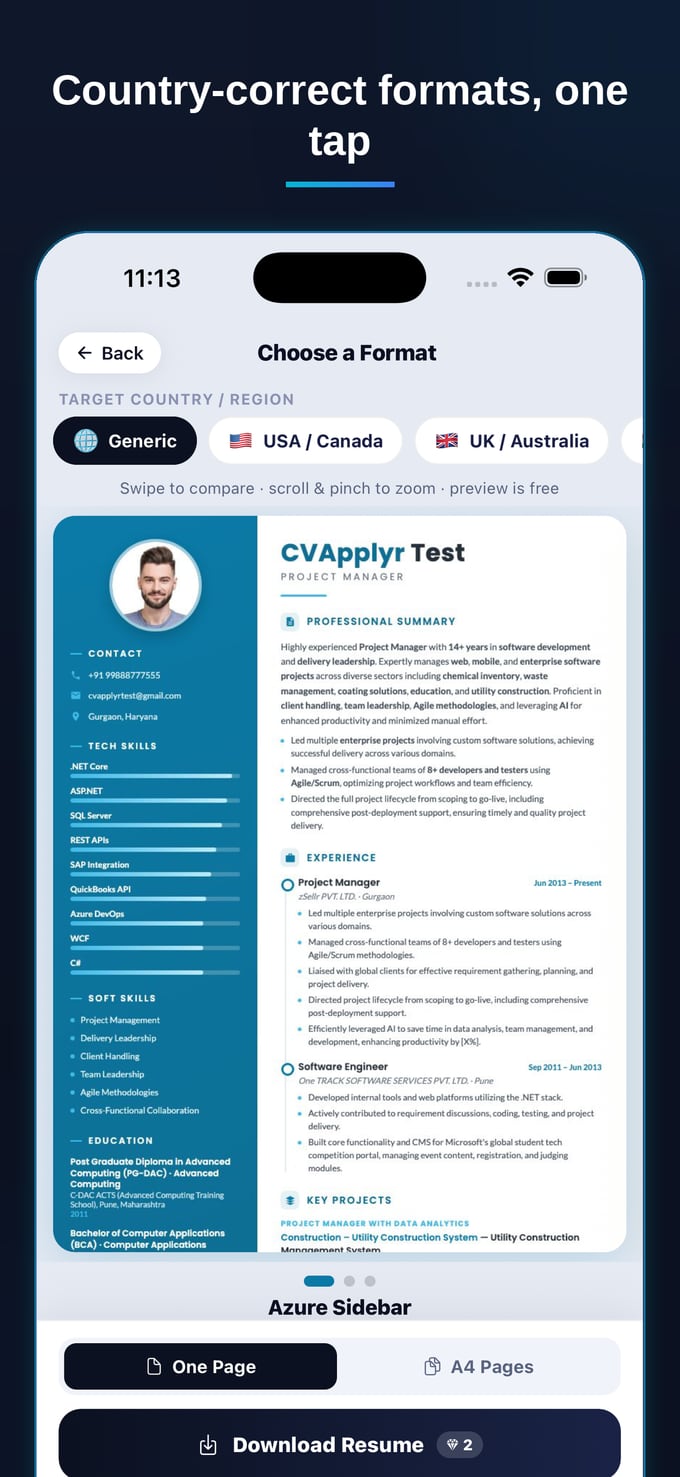
Contact details tucked into the document header often get dropped — put them in the body. Stick to standard fonts and a text-based file (a clean .docx or a true text PDF, not a flattened export). This is exactly the kind of structure CVApplyr produces by default: a single-column, country-correct resume with real, selectable text — the screenshot at the top of this article is the parser-friendly layout it builds, so you're not reverse-engineering ATS rules by hand.
The keyword half: speak the job's language
Clean formatting gets you readable. Keywords get you found. After parsing, recruiters filter the database by the terms in their job description — so a resume that mirrors that language surfaces, and one that says the same thing in different words doesn't.
The fix isn't keyword stuffing. It's matching the posting. If the role asks for "stakeholder management," use that phrase rather than "working with clients." If it lists "Power BI," don't bury it as "data visualization tools." Mirror the exact skills, tools, and job titles the posting uses, and place them naturally in your summary and your experience bullets — never as hidden white text, which modern systems flag and recruiters find instantly.
The ATS doesn't reward the best resume in the abstract. It rewards the resume that matches this job. That's why tailoring beats perfecting a single master document you fire at everything.
This is the slow part — so let it be automatic
Tailoring keywords by hand for every application is real work: read the posting, find the terms that matter, rewrite your bullets to include them honestly, re-check the formatting didn't break. Do that 30 times and you'll quietly stop doing it — which is exactly when the ATS starts filtering you out.
This is the piece CVApplyr is built to absorb. It starts from a clean, ATS-friendly resume, then reads each job description and tailors that resume to the posting — weaving in the keywords and phrasing the role actually uses, while keeping the layout the parser can read. You get a resume that's both human-readable and machine-readable for every role, without rewriting it from scratch each time. The studies are consistent here: tailoring a resume to the job description measurably lifts callback rates (Jobscan).
Putting it together
Beating the ATS comes down to two questions you can answer before you ever click submit. Can a machine read this — single column, real text, standard headings, no tables? And does it carry the words this specific job is searching for? Get both right and you stop losing roles you're qualified for to a parser, and start landing in front of the person who can actually say yes.
Get a resume the robots can read
CVApplyr builds a clean, ATS-friendly resume and tailors it to each job's keywords — free to start.
Download CVApplyrFrequently asked questions
What is an ATS and how does it screen resumes?
An applicant tracking system (ATS) is software employers use to collect and sort applications. It parses your resume into structured fields — name, work history, skills — and lets recruiters search and filter by keywords from the job description. If the parser can't read your file cleanly, or your resume is missing the words the recruiter searches for, you can be filtered out before a person ever opens it.
What resume formats break ATS parsing?
The usual culprits are multi-column layouts, tables, text boxes, headers and footers, graphics or icons standing in for text, unusual fonts, and resumes saved as images or flattened PDFs. Stick to a single-column layout, standard section headings, real selectable text, and a clean .docx or text-based PDF. CVApplyr builds a single-column, text-based resume so the parser reads every field.
How many keywords should I include?
There's no magic number — match the language of the specific job description rather than chasing a count. Mirror the exact skills, tools, and titles the posting uses, place them naturally in your summary and experience bullets, and never paste hidden or white text to game the system. Tailoring to each posting beats stuffing a fixed list of terms.
Does CVApplyr make an ATS-friendly resume?
Yes. CVApplyr builds a clean, single-column, country-correct resume the parser can read, then tailors it to each job by weaving in the keywords from that posting. You get a download that's both human-readable and machine-readable — free to start.