Tailor Your Resume to Every Job in Minutes, Not Hours
The advice "tailor your resume to each job" is correct — and quietly brutal. It's the right move, but doing it by hand turns one application into an afternoon.

You find a job that looks perfect. Then you remember what "applying well" actually means: open your resume, reread the posting, hunt for the keywords they used, reshuffle your bullet points, rewrite your summary so it sounds like it was written for this role, double-check it still reads cleanly, export, rename the file. Forty-five minutes later you have one tailored resume — and a queue of twelve more roles you wanted to apply to today. So most people quietly give up on tailoring and fire off the same generic PDF everywhere. It feels efficient. It's actually why so little comes back.
Here's the frustrating truth: tailoring genuinely works, and skipping it genuinely costs you. The problem was never that the advice is wrong — it's that the method is slow. Let's fix the method. Below is exactly what "tailoring" should change, why a generic resume underperforms, and how to re-tailor to each role in minutes instead of hours without sacrificing the polish.
Why the generic resume quietly loses
When you send one resume to fifty jobs, you're optimizing for none of them. Two readers see it, and you lose both. The first reader is the applicant-tracking system (ATS) — software most mid-size and large employers use to scan resumes for the role's keywords before a human ever looks. If the posting asks for "stakeholder management" and your resume says "working with clients," a keyword filter may simply not see the match. The second reader is the recruiter, who spends only a handful of seconds on the first pass and is looking for fast signals that you fit this opening — not a general impression that you're employable.
A tailored resume speaks to both. It mirrors the exact language of the job description, so the ATS finds its matches, and it leads with the experience that matters most for that role, so the recruiter's six-second scan lands on the right things. That's why tailoring to the job description measurably lifts callback rates — not magic, just relevance the readers can actually detect.
What "tailoring" actually means (the four moves)
People imagine tailoring as a blank-page rewrite, which is why they avoid it. In reality it's four targeted moves on top of one strong master resume. Nothing you're about to read invents new experience — you're re-emphasizing what's already true.
1. Mirror the job's keywords and title
Read the posting and pull out the words it repeats — the must-have skills, tools, and the exact job title. Then make sure those words appear in your resume where they're true. If they want "project coordination" and you've called it "running projects," align the wording. This is the single most important move for getting past the ATS, because the filter is matching strings, not reading between the lines.
2. Reorder so the most relevant thing leads
A recruiter's eyes hit the top third of the page first. Whatever is most relevant to this role should live there — the right job, the right project, the right bullet. The same experience reads as "perfect fit" or "kind of related" depending purely on what you put first. Reordering costs nothing and changes everything about that six-second scan.
3. Rewrite the summary for this role
Your top-of-resume summary is the one spot you can directly say "I'm the person for this job." A generic summary ("experienced professional seeking new opportunities") wastes it. A tailored one names the role and the two or three things this employer clearly cares about. It takes three sentences and it frames everything below it.
4. Adjust emphasis on the bullets — without touching the facts
Sharpen the bullet points that matter for this role and trim the ones that don't. Lead with outcomes the posting cares about. Your dates, titles, and numbers stay exactly as they are — you're changing the lens, not the truth. That honesty is also what keeps you safe in an interview, where you'll have to back up every line.
Why it's so slow by hand — and where the time really goes
Notice that none of those four moves is hard. What makes tailoring exhausting is doing them from scratch, for every single role, under decision fatigue. The slow part isn't typing — it's the reading and deciding: scanning the posting for what matters, judging which of your bullets to lead with, and rephrasing without losing your voice. Do that twelve times in an evening and your judgment is mush by the third application, which is exactly when people start sending the generic PDF again.
This is the part worth saying plainly: the bottleneck is a thinking task that's nearly identical every time. "Which of my experiences fit this description, and how do I phrase them in the job's language?" That's a pattern-matching job — and pattern-matching at speed is precisely what AI is good at. So instead of you reading the description and reshuffling your resume by hand, the tool does the first pass and you do the review.
How CVApplyr re-tailors your resume to each role
Here's the workflow that turns a 45-minute task into a few minutes of review. The core idea behind CVApplyr is that you should tell your story once, then let each application reshape that story for the specific job — without you redoing the work.
Step 1 — Tell it your story, once
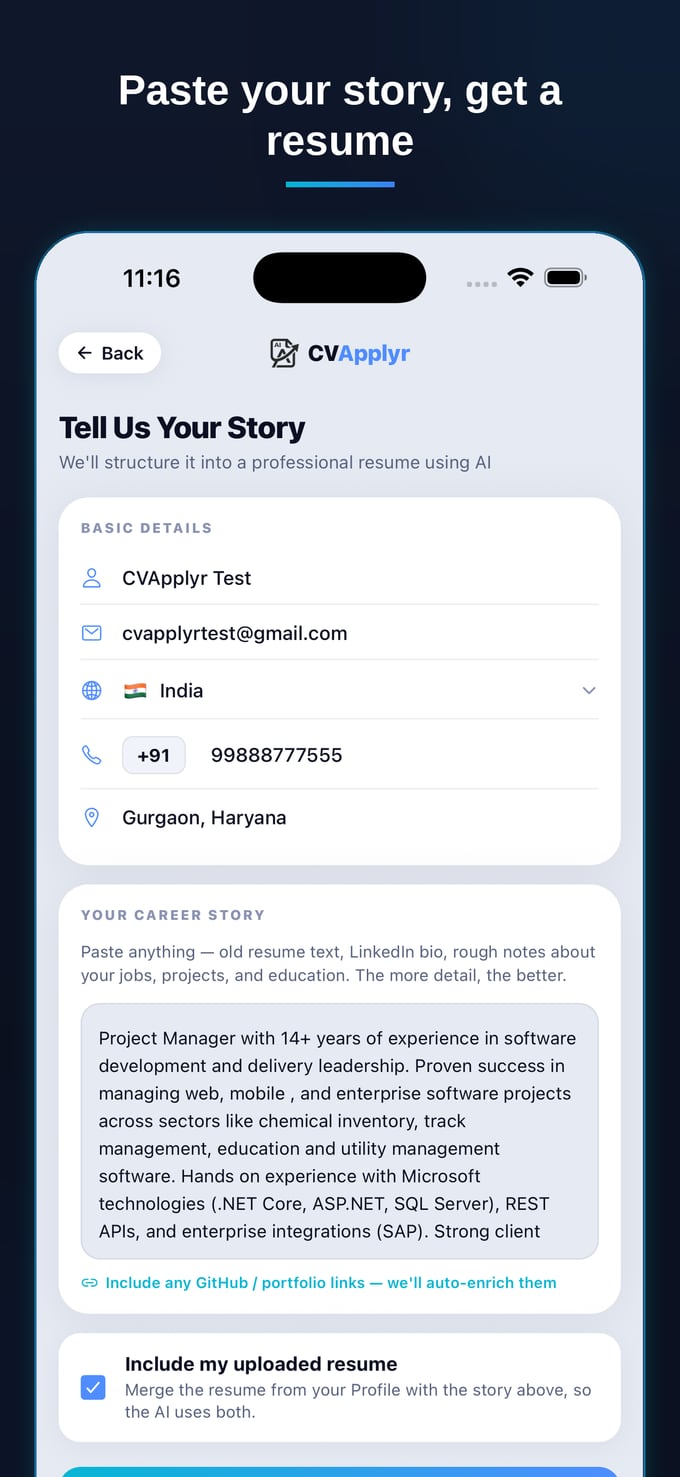
You start by giving CVApplyr your background — paste in what you've done, or your existing resume, and answer a few prompts about your experience. This becomes your master story: the single source of truth the app draws from for every role. You're not re-entering your history for each job; you set it up once.
Step 2 — It re-tailors to the job description, per role
For each posting, CVApplyr reads the job description alongside your story and re-tailors your resume to that exact role. It surfaces the keywords the posting uses, reorders your experience so the most relevant parts lead, and rewrites your summary to speak to that opening — all four tailoring moves, done in one pass. The slow "read the posting and decide what to change" step is the part it absorbs.
Step 3 — Keep it ATS-friendly and country-correct
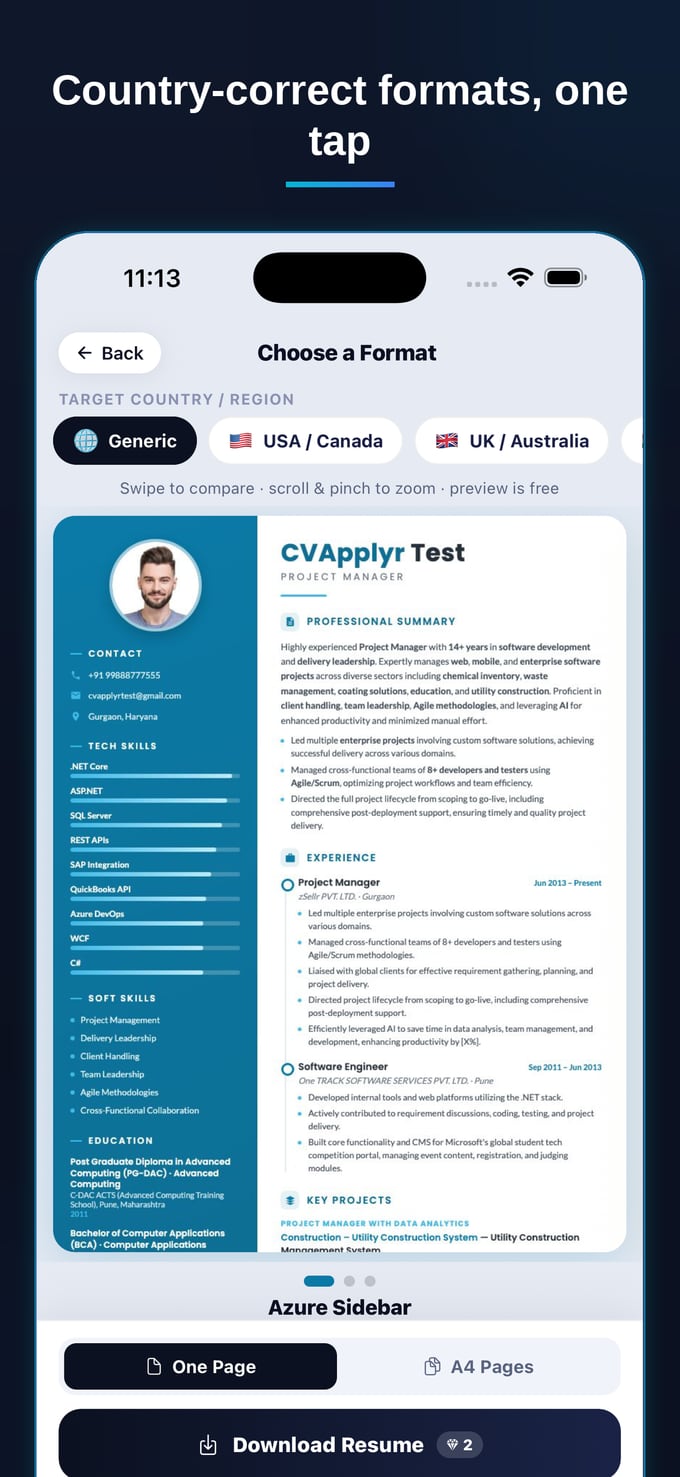
Tailoring is pointless if the format breaks the filter. CVApplyr keeps the output clean and ATS-readable, and lets you pick a country-correct format — because a resume that's right for one market (photo, length, sections) can quietly hurt you in another. You get a resume that's both tailored to the role and appropriate for where you're applying.
Step 4 — Review, tweak, download
This is the part people miss about doing it well with AI: you're still the editor. The draft does the heavy lifting; you skim it, fix any line that doesn't sound like you, and download. That keeps your voice and your honesty intact while removing the 40 minutes of mechanical work. The judgment stays yours — the busywork doesn't.
Tailoring never failed because it was the wrong advice. It failed because it was too slow to actually do. Make it fast, and "tailor every resume" stops being a luxury you skip and starts being your default.
What this looks like across a real job hunt
Play it forward. You've got ten roles worth applying to this week. The old way, you'd tailor two of them properly and send a generic resume to the other eight (or just not apply). The new way, each of the ten gets a resume re-tailored to its description — right keywords, right order, right summary — and you spend your energy on the review and the actual outreach, not the reshuffling. Same hours, far more applications that are genuinely aimed at the role. That's the whole point: tailoring at the volume real job hunts demand, without the burnout that made you stop tailoring in the first place.
Tailor every resume, in minutes
Tell CVApplyr your story once, then re-tailor to each role's description — ATS-friendly and country-correct. Free to start.
Download CVApplyrFrequently asked questions
Do I really need to tailor my resume for each job?
For roles you actually want, yes. A generic resume is read by both a keyword filter and a human recruiter, and a tailored one reflects the exact language of the job description — which measurably lifts callback rates (Jobscan). You don't need a full rewrite every time; you need the right keywords, ordering, and emphasis for that role, which is fast once you have a system.
What should I change when tailoring a resume?
Mirror the job's core keywords and job title, move the most relevant experience and skills to the top, and rewrite your summary and a few bullet points so they speak to that role's priorities. Keep your facts and dates identical — you're re-emphasizing, not inventing. The structure and formatting should stay clean and ATS-readable.
How do I tailor without rewriting everything?
Start from one strong master resume, then make targeted edits per role: swap in the job's keywords, reorder bullets so the most relevant ones lead, and adjust your summary. The slow part is reading the description and deciding what to change — which is exactly the step AI can do for you, turning a 45-minute job into a few minutes of review.
How does CVApplyr tailor my resume?
You tell CVApplyr your story once. For each role, it reads the job description and your background and re-tailors your resume to that posting — surfacing the right keywords, reordering your experience, and rewriting your summary — in a country-correct, ATS-friendly format. You review, tweak a line if you like, and download. It's free to start.