How to Job-Search Quietly While You’re Still Employed
The hardest part of looking for a job while you have one isn't writing the cover letter. It's doing all of it without anyone noticing — on a calendar that's already full.

You're not unhappy enough to quit, but you know it's time to start looking. The problem is that you already have a job — a real one, with meetings and a manager and a calendar that's somehow always full. So your search gets squeezed into stolen moments: a job board open behind a spreadsheet, a half-written application abandoned when someone walks past, a Sunday night spent dreading the whole thing. And underneath it all is the quiet fear of being found out before you're ready.
Searching while employed is the smartest position to job-hunt from — you have leverage, income, and no desperation in your voice. But it's also the most logistically awkward. You have less time, less privacy, and more to lose if it leaks. The good news: a quiet search doesn't need to be a big search. It needs to be a tight one. Here's how to run it.
Why searching while employed is so awkward
Three constraints make this hard, and they stack on top of each other:
You have almost no time. A job hunt done by hand is basically a part-time job — researching companies, rewriting cover letters, tracking who you've contacted. Bolt that onto a 40-hour week and something has to give, usually your evenings or your sanity.
You have almost no privacy. Open-plan offices, screen-sharing, monitored work laptops, a manager who can see your calendar. Every part of a normal search — browsing roles, taking calls, going to interviews — has to be hidden in plain sight.
The stakes are higher. If word gets out before you're ready, you can get passed over for projects, sidelined from promotions, or worse. So the instinct is to barely look at all — which is why so many "I should start looking" moments quietly die.
The low-footprint operating rules
Before any routine, get the basics right. These are the things that actually leak a search:
Keep work and search completely separate
Never job-hunt on a company device, company Wi-Fi, or any account tied to work. IT can see more than you'd think. Use your personal phone and personal email for everything — applications, recruiter replies, profile updates. One slip here is what gets people caught, not the search itself.
Go quiet on LinkedIn before you go active
Turn off activity broadcasts before you touch your profile, or your whole network gets pinged that you're "updating your headline." Use the recruiters-only "Open to Work" setting rather than the public green banner. And resist the urge to suddenly like every recruiter's post — a flurry of activity is a tell.
Schedule around the edges of your day
Early mornings, lunch breaks, and the hour after work are your windows. Block interview calls into those slots and you rarely need to explain a mysterious mid-afternoon "appointment." The fewer interruptions to your normal workday, the less anyone notices.
The real unlock: a 30-minute daily rhythm
Here's the mindset shift. When you only have a few private minutes a day, you can't afford to spend them on the slow, repetitive work. You spend them on the human decisions — which roles to chase, whether a letter sounds like you — and you let software handle the rest in the background. That's the whole game.
Look at what each window actually contains. The morning is pure triage: you glance at a handful of roles that fit your resume and flag the ones worth pursuing — coffee in hand, two minutes per role. The evening is execution: a few applications go out with letters already drafted, and you nudge anyone who's gone quiet. Nothing here requires a free afternoon or a closed office door. It fits in the cracks.
How CVApplyr makes a quiet search small
This routine only works if the slow parts aren't yours to do. That's exactly what CVApplyr is built for — it compresses applying into short, private bursts: matched roles, instant letters, tracked status. Here's how each piece collapses the time you'd otherwise spend exposed at your desk.
1. The roles come to you — pre-matched
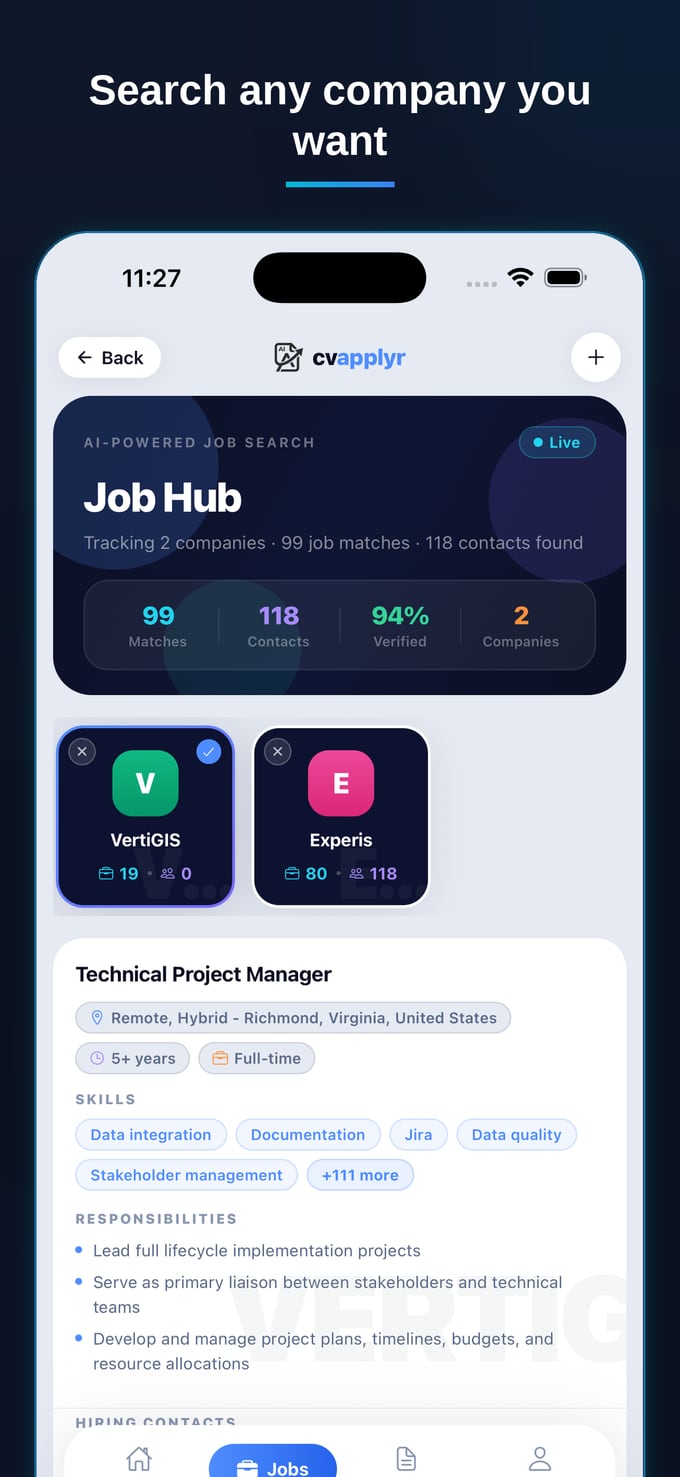
Instead of trawling job boards on a screen anyone could glance at, CVApplyr surfaces openings pulled from real company careers pages and scores them against your resume. Your morning window becomes a 15-minute skim of roles that already fit, not an hour of searching. Less time looking means a smaller footprint, full stop.
2. The cover letter is written before you sit down
This is the part that used to eat your evenings. CVApplyr reads the job description and your resume and drafts a tailored cover letter in seconds — specific, on-point, in your voice. You skim it, adjust a line if you want, and send. The fifteen-minute task that made you dread Sunday nights becomes a thirty-second one you can do on your phone over lunch.
3. You reach a real person, discreetly
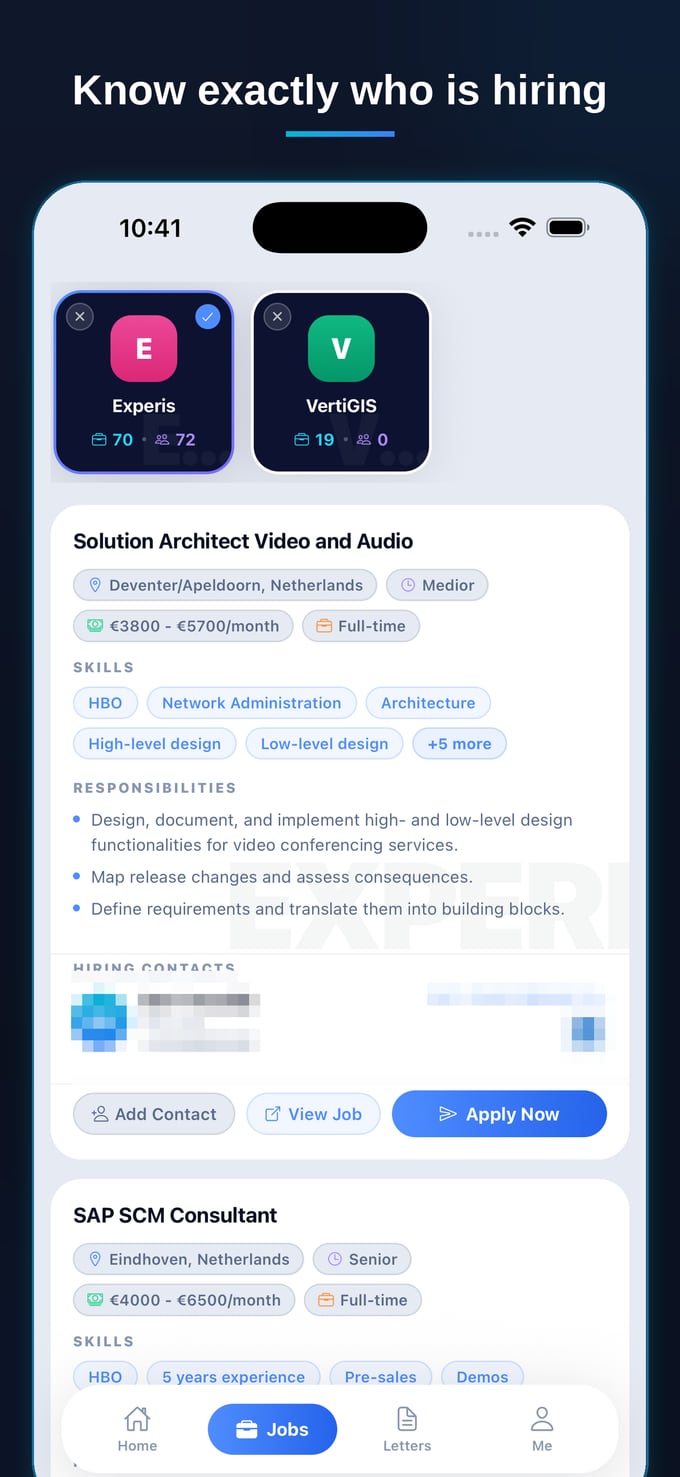
Applying into a public portal is fine — but a quiet word with a recruiter or hiring manager moves faster and leaves a smaller trail than a noisy LinkedIn presence. CVApplyr helps surface a recruiter or hiring-manager contact for a role so you can reach out directly, from your personal email, on your own terms.
4. Everything is tracked, so nothing lives at work
No risky spreadsheet on a shared drive, no browser history on a work laptop. Every role you act on is saved in one place with its status, contacts, and notes — on your own device. Following up is a tap during a coffee break, not a forensic dig through your sent folder at 11pm.
The safest job search is the one that takes the least time. Compress the busywork and a quiet search stops being a second job you're hiding — it becomes a few private minutes a day.
What a quiet week actually looks like
Put it together and the dread lifts. Monday morning you flag five matched roles over coffee. Tuesday evening three applications go out with letters already drafted, sent to real contacts from your personal email. Wednesday you nudge a recruiter who went quiet. By Friday you've sent fifteen quality applications, started two conversations, and never once opened a job board on your work screen. No marathon Sundays, no closed-door panic, no trail. Just a steady, low-footprint search running quietly underneath a job you still have.
Run your search quietly
Matched roles, instant cover letters, and real contacts — in short private bursts. Free to start.
Download CVApplyrFrequently asked questions
How do I job search without my employer finding out?
Keep a low footprint: never job-hunt on company devices, Wi-Fi, or accounts; use your personal email and phone; schedule interviews for early mornings, lunch, or after hours; and don't broadcast your search. Tools that batch the slow work into short private bursts mean less time spent looking, which is the safest setup of all.
When is the best time to job search while working?
Short, consistent windows beat marathon sessions. A 15-minute review with your morning coffee and a 15-minute apply-and-follow-up block in the evening keeps momentum without eating into your workday or raising eyebrows. The point is rhythm, not hours.
How do I keep my search private on LinkedIn?
Turn on "Open to Work" as recruiters-only (not the public green banner), switch off activity broadcasts before you update your profile, and avoid liking or commenting on every recruiter post. Quiet outreach and direct applications leave a far smaller trail than a noisy LinkedIn presence.
How does CVApplyr help a quiet search?
CVApplyr compresses applying into short, private bursts. It surfaces resume-matched roles from real company careers pages, writes a tailored cover letter in seconds, helps you reach a real recruiter or hiring-manager contact, and tracks every application — so a discreet search fits into a few minutes a day instead of long, risky evenings.